On December 10, 2025, Google issued an urgent security warning that sent shockwaves through the digital world: over 5,100 victims had reported account takeover fraud since January 2025, resulting in $262 million being drained from individuals and organizations alike.
The culprit? Chrome Sync—the convenient cloud synchronization feature that silently stores your passwords, payment methods, addresses, and Google Pay data in a single repository accessible through your Google account. When attackers compromise your credentials or steal session cookies, they gain instant access to everything.
The Infostealer Epidemic Explodes

What triggered this crisis wasn’t a single breach but an industrial-scale epidemic. Email-based infostealer malware increased by 84% in 2024 compared to 2023, marking an unprecedented surge in automated credential theft.
These malicious programs—including Lumma, RisePro, Vidar, and AgentTesla—silently harvest login credentials, financial details, and session cookies without user knowledge, then sell them on dark web marketplaces for as little as $90 per month.
How Attackers Bypass Your Multi-Factor Authentication
The most alarming discovery: stolen session cookies can completely bypass multi-factor authentication, the security layer millions believed protected them. When you successfully log in and complete MFA verification, your browser creates a session cookie proving you’re authenticated.
Attackers who steal this cookie can reuse it on different devices without needing your password or MFA codes. Security researchers report that token theft accounts for 31% of documented incidents where attackers successfully circumvented MFA.
Google’s Senior Leadership Issues Stark Warning

Andy Wen, Google’s Senior Director of Product Management, announced in July 2025 that “phishing and credential theft drive 37% of successful intrusions” into Google accounts, with an “exponential rise in cookie and authentication token theft” being the preferred strategy of attackers.
The data supports the warning: IBM X-Force’s 2025 Threat Intelligence Index documented a 180% surge in infostealer malware delivered via phishing emails in early 2025, compared to 2023 levels.
Germany’s Government Sounds Alarm on Chrome’s Password Manager
But what happened next forced security experts to reconsider Chrome itself. Germany’s Federal Office for Information Security (BSI) conducted a comprehensive testing of ten password managers and discovered a critical flaw: Google Chrome Password Manager stores passwords in a manner that theoretically allows Google to access them when synchronization is enabled without a separate passphrase.
The BSI explicitly advises users to “establish a separate passphrase in the settings” when synchronizing accounts.
The Data Consolidation Trap
Chrome Sync creates what security researchers refer to as a “catastrophic single point of failure.” When enabled, it consolidates passwords for banking, investment accounts, email services, and non-Google platforms alongside bookmarks, browsing history, addresses, Google Pay data, and open tabs—all in one cloud repository.
If your Google account credentials or session cookies are compromised, attackers instantly gain access to this entire data treasure trove.
Syncjacking: The New Frontier of Browser Attacks

Researchers from SquareX disclosed “syncjacking” attacks in January 2025, revealing how malicious browser extensions can escalate privileges to completely hijack both browsers and devices.
The attack occurs in three phases: first, the extension silently logs victims into an attacker-controlled Chrome profile in background windows; second, it hijacks the browser by replacing legitimate software updates with malicious payloads; third, it gains full device control, enabling attackers to activate cameras, record audio, capture screens, and install malware.
The FBI’s Escalating Advisory

The FBI’s Internet Crime Complaint Center issued warnings after receiving over 5,100 complaints of account takeover fraud since January 2025, totaling $262 million in losses.
Attacks predominantly use social engineering and impersonation of financial institutions to manipulate victims into revealing credentials or authorizing fraudulent transactions. The FBI notes that attackers often purchase search engine ads and create sophisticated phishing sites appearing identical to legitimate brands.
Google Launches Device-Bound Session Credentials in Open Beta

To combat session hijacking, Google announced Device Bound Session Credentials (DBSC) in open beta on July 30, 2025. DBSC cryptographically binds authentication sessions to specific devices using hardware-backed storage in Trusted Platform Modules, which are present in approximately 60% of Windows and Chrome installations.
The technology generates device-specific key pairs during login; stolen cookies become worthless on other devices because they cannot be refreshed without the original device’s private key.
How DBSC Protects You from Cookie Theft

DBSC stores private keys in device hardware such as TPMs when available, creating short-lived session cookies that require periodic refresh through cryptographic signatures.
To refresh expired cookies, Chrome must prove possession of the device-bound private key, effectively binding session continuity to the original device. For devices without TPMs, DBSC falls back to less robust software-based protection, but still provides significant improvement over current session security.
Google Workspace Activates Shared Signals Framework

Google Workspace launched a closed beta of the Shared Signals Framework receiver in September 2025, enabling near real-time security signal exchange between platforms that use OpenID Foundation standards.
When an identity provider detects a compromised account, it transmits a session revocation signal to Google Workspace, automatically logging out user sessions to prevent unauthorized access. This coordinated defense mechanism represents a fundamental shift in cross-platform security collaboration.
Immediate Action: Disable or Customize Chrome Sync

Security experts urge immediate action: navigate to Chrome Settings > Sync and Google Services > Manage what you sync, then toggle off Passwords and Payment methods. On mobile devices, access Settings > your Google Account > Sync and disable the same data categories.
This prevents future data from being stored in Google’s cloud servers; however, previously synchronized data remains vulnerable until it is manually deleted.
Critical Step: Clear All Previously Synced Data
Even after disabling sync, your data persists in Google’s cloud infrastructure. Visit chrome.google.com/sync, scroll to “Clear Data,” and click to permanently remove all previously synchronized information from your Google account.
This eliminates the exposure created by prior synchronization activity and should be completed immediately following sync disablement.
Protect Remaining Sync Activity with a Separate Passphrase

For users continuing Chrome Sync, implement BSI’s recommendation: establish a separate encryption passphrase distinct from your Google password.
Access chrome://settings/syncSetup, click Encryption Options, select “Encrypt synced data with your own sync passphrase,” and create a strong passphrase of at least 15 characters combining letters, numbers, and special characters. This ensures that even Google cannot access your synchronized data.
Adopt Passkeys: 40% Faster and Phishing-Resistant

Google reports that passkeys are 40% faster than passwords and are completely phishing-resistant by design, as private keys never leave your devices. To create a passkey, visit g.co/passkeys, sign into your Google account, click “Create a passkey,” and complete verification using your device’s fingerprint, face scan, or screen lock.
Since its launch, 64% of Google account users have reported finding passkeys easier than passwords and two-step verification.
Why Companies Are Switching to Passkeys

Companies implementing passkeys have achieved dramatic results: CVS Health reduced account takeover fraud by 98%, while Michigan’s MiLogin saw 1,300-unit drops in password reset support calls.
Intuit reported 97% sign-in success rates and a 70% reduction in sign-in time with passkeys, while Mercari achieved 82.5% authentication success rates with 20.5 seconds faster authentication compared to SMS OTP.
Migrate to Verified Secure Password Managers
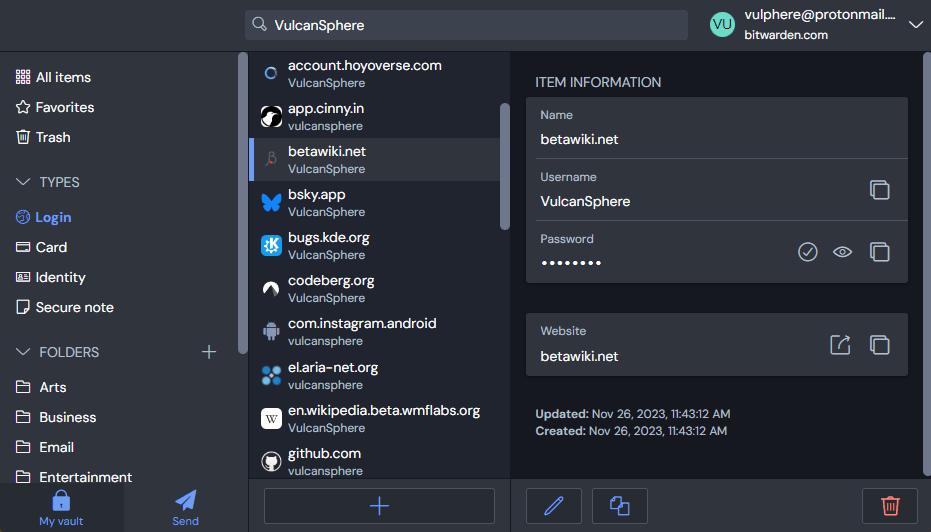
Germany’s BSI testing identified secure password managers that prevent provider access to stored data: 1Password, KeePassXC, KeePass2Android, Mozilla Firefox Password Manager, and Avira Password Manager.
Migrate your passwords away from Chrome’s built-in manager, then disable Chrome password saving in Settings > Autofill and passwords > Google Password Manager > Settings by toggling off “Offer to save passwords” and “Auto Sign-in”.
Enable Hardware-Based Multi-Factor Authentication

While traditional MFA can be bypassed through session cookie theft, FIDO2-compliant hardware security keys, such as YubiKey and Google Titan Security Key, remain highly resistant to attacks.
Avoid SMS-based two-factor authentication, as it is vulnerable to SIM swapping and interception. Configure multi-factor authentication that doesn’t rely solely on authenticator app codes, adding an additional layer of protection against sophisticated attackers.
The Broader Industry Implications
This crisis extends far beyond Google accounts. Low-skilled attackers now execute highly convincing phishing scams that imitate trusted brands through search engine optimization poisoning, creating legitimate-looking websites that harvest credentials at scale.
The infostealer epidemic has reached catastrophic proportions: Huntress’s 2025 Cyber Threat Report found infostealers drove 24% of all cyber incidents in 2024, with 104% year-over-year growth in infostealer detections.
What Users Must Do Right Now
The time for delayed action has passed. With attackers operating at an industrial scale and losses mounting daily, protective measures are no longer optional security enhancements but essential countermeasures against active threats.
Disable Chrome Sync for sensitive data immediately, delete previously synchronized information, create a separate sync passphrase, adopt passkeys for your Google account, migrate to verified secure password managers, and enable hardware-based multi-factor authentication.
Sources:
Forbes: “Google Confirms ‘Account Takeovers’—Change This Chrome Setting Now” (December 2025)
FBI Internet Crime Complaint Center: Account Takeover Fraud Public Service Announcement (November 2025)
Google Workspace Security Blog: “Defending Against Account Takeovers from Today’s Top Threats: Passkeys and DBSC” (July 2025)
IBM: 2025 Threat Intelligence Index (April 2025)
Germany’s Federal Office for Information Security (BSI): Password Manager Security Testing Report and Recommendations (December 2025)
SquareX Security Research: Browser Syncjacking Attack Technical Disclosure (January 2025)